Gemini Infographic Prompt Template | Create Viral Educational Posters with AI - Aivana
Learn how to create stunning educational infographics using Gemini AI with a powerful prompt template. Step-by-step guide with ready-to-use prompts for viral infographic design.
Random Posts
View All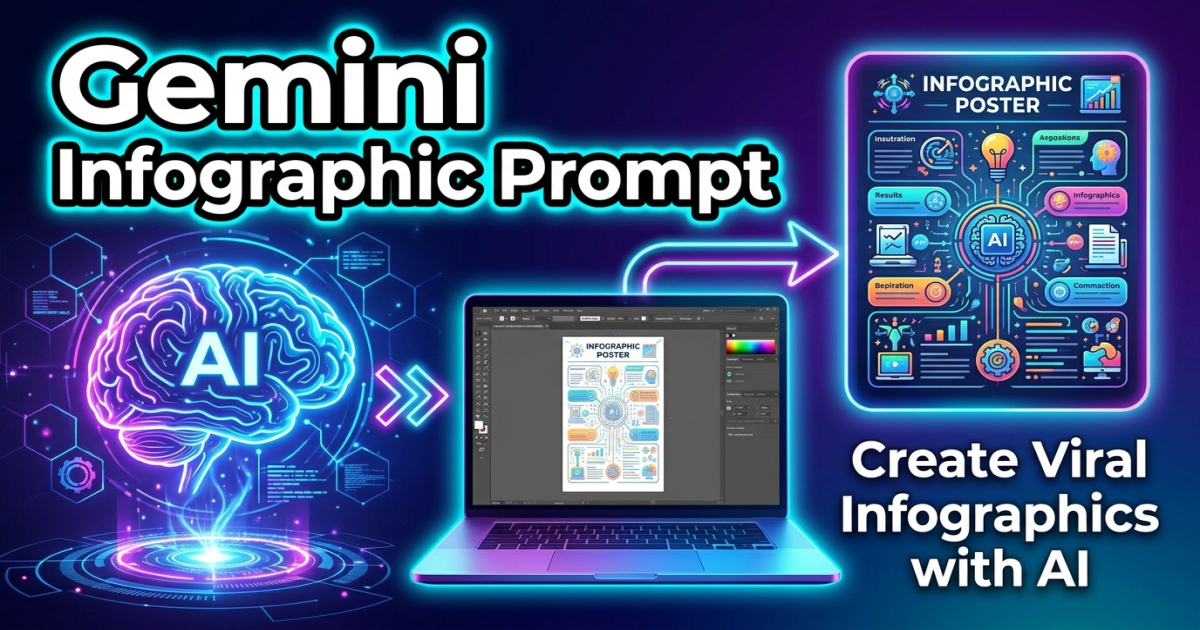


Create a premium, visually soothing educational infographic poster. TITLE: "8 Daily Habits for a Healthy Heart" Central Visual: - A clean, modern flat-vector illustration of a healthy anatomical heart at the center - Slight soft glow or gradient to make it visually appealing and calming Layout: - 8 circular icons evenly distributed around the heart in a balanced radial (orbit) layout - Each icon connected subtly to the center with thin lines or soft curves Sections (Each with short label + 2–3 word caption): 1. Drink More Water 💧 2. 30 Min Cardio 🏃 3. Sleep 7–8 Hours 😴 4. Eat Green Veggies 🥬 5. Reduce Stress 🧘 6. Avoid Junk Food 🚫🍔 7. Regular Checkups 🩺 8. Stay Active Daily 🚶 Design Style: - Clean flat vector illustration - Rounded shapes, soft edges, minimalistic icons - Friendly, safe, healthcare-focused aesthetic Color Palette: - Mint Green, Serene Blue, Soft Lavender (primary) - White background (clinical, clean) - Light gradients for depth (very subtle) Typography: - Bold, clear title at top - Simple, highly readable sans-serif font - High contrast text for accessibility Visual Enhancements: - Soft shadows for depth - Subtle circular background halo behind the heart - Balanced spacing and symmetry - Icons should be intuitive and universally understandable Mood: - Calm, trustworthy, positive, health-focused - Designed for patient awareness / social media sharing Output: - Ultra high resolution (4K) - Vertical format (9:16) - Sharp, crisp text rendering Avoid: - clutter - overly complex medical diagrams - dark or aggressive colors - too much text --ar 9:16


Create a visually stunning, highly engaging educational infographic poster. TITLE: "Control Your Mind in 5 Steps" Style: modern, clean, minimal yet vibrant, professional educational design, infographic style, high clarity, visually appealing for students and social media. Layout: - Strong, bold title at the top - Organized sections with clear headings and subheadings - Use 4–6 key points or steps related to the topic - Each section should include: • short heading • 1–2 line explanation (simple, easy-to-understand language) • relevant icon or illustration Visual Elements: - Use colorful icons, diagrams, arrows, flow elements, and symbols - Include charts, mind-map elements, or step-by-step visuals where relevant - Balanced spacing, neat alignment, grid-based structure Typography: - Bold title font - Clean readable body text - Highlight important keywords Color Theme: - Use a cohesive color palette (educational tones like blue, purple, orange, teal) - High contrast for readability Background: - Light gradient or subtle abstract educational background (no clutter) Additional Elements: - Add small labels, callouts, or highlight boxes for important facts - Include subtle shadows and depth for modern look Output: - Ultra high resolution (4K or higher) - Vertical poster (Instagram-friendly 4:5 or 9:16 ratio) - Sharp, crisp text rendering Tone: - Friendly, informative, easy to understand - Suitable for students, beginners, and social media audience Avoid: - Overcrowding - Too much text - Blurry or unreadable fonts - Complex jargon Make it look like a premium educational poster that could go viral on Instagram or be used in a classroom.


Create a bright, engaging educational infographic for elementary students. TITLE: "The Water Cycle" Include and clearly label these 4 stages: Evaporation, Condensation, Precipitation, Collection Show the continuous movement of water using a circular flow with arrows connecting each stage clockwise. Style: - colorful, fun, 3D claymation look - kid-friendly, simple, and visually clear Ensure: - high readability text - clean layout - playful but educational visuals Output: - high resolution - suitable for classroom learning Avoid clutter and complex details. --ar 16:9 --style raw --v 6 --iw 2


Create a colourful, shiny, highly attractive educational infographic. Title: "How to Be Happy" Include 5 simple, relatable tips for happiness (short phrases only). Style: - bright, vibrant, eye-catching colors - glossy, shiny, modern aesthetic - playful, positive, feel-good vibe Layout: - clean, well-spaced sections - visually engaging icons or illustrations - balanced composition with clear hierarchy Ensure: - big, bold, readable text - minimal but impactful content - social media friendly (Instagram style) Mood: - uplifting, joyful, calming, positive energy Output: - ultra HD - vertical format (--ar 9:16) Avoid clutter and too much text.
How to use:▶
How to Create an AI Image Using Gemini (Step-by-Step Guide)
1. Open Gemini (Google AI Studio or the app).
2. Select the Image Generation or Upload option.
3. Upload your image.
4. Paste the given AI prompt.
5. Click on Generate/Run and wait for the image to be created.
👉 Pro Tip: If the face match isn’t accurate, make sure to add this to your prompt:
“100% identical face, face lock, no variation, ultra realistic”

Generate your own AI Prompts From Images
Related Posts
Viral Sticker Packs | 3D Avatar Emoji Sticker Gemini Prompt